NEWCanto Notebook: study from your own notes, with practice exams

The AI coworker that
actually does the work

CantoWork lives on your desktop. Talk to it, show it your screen, and it operates your apps — researching, writing, designing, studying and running routines — while you watch.

Free during beta · Windows 10 & 11

You are a

Monday to Thursday A cleaning company finds new clients, sends a proposal and books the follow-up. 1:19

Works with the apps and AI models you already use

GmailGoogle DriveGoogle SheetsSlackNotionGitHubHubSpotLinkedInWhatsAppTelegramDiscordShopifyStripeSpotifyGeminiOpenRouterNVIDIA NIM
Plugins

Connects to your apps,
works inside them

Gmail, Sheets, Slack, HubSpot, Notion and 500+ more. Connect an app with one click in your browser and CantoWork does the work right inside it — asking first before anything that sends, spends or deletes.

Meet your crew

One brain.
Three ways to help.

CantoWork's abilities, given a face. Talk to it, let it look at your screen, or hand it something creative — it's the same assistant, remembering everything you've worked on together.

Echo — voice & conversationSpeak naturally, interrupt, follow up. Echo plans the job and reports back as it goes.
Pixel — sees & operates your screenReads what's in front of you and works your apps, files and browser — mouse, keyboard and all.
Tempo — the creative studioImages, videos and creative assets, plus quick edits to any video you hand it.
Agentic, not chatty

It doesn't just answer.
It operates.

Give CantoWork the outcome, not the steps. It breaks the job down, picks the right tools and works through it on your computer — showing every step as it happens.

  • Uses real apps: your browser, files, Office documents, Gmail and more
  • Chains 25+ built-in skills — research, documents, media, code
  • Remembers your projects and preferences between sessions
Explore what it can do
CantoWorktask · 2m 14s
LIVE
“Find 10 well-reviewed bakeries near me, put them in a spreadsheet and draft an intro email.”
  1. Searching the web for bakeries nearbyweb_search
  2. Opening results and reading reviewsbrowser
  3. Shortlisting the 10 best ratedreasoning
  4. Creating bakeries.xlsx in Documentsdocuments
  5. Drafting the intro email in Gmailgmail
Done. 10 bakeries saved with ratings, phone numbers and links. Your email draft is waiting in Gmail for a final read.
Everything in one app

Your entire AI toolkit, on your desktop

No more tab-hopping between chatbots, editors and automation tools. CantoWork brings them together and lets them work as one.

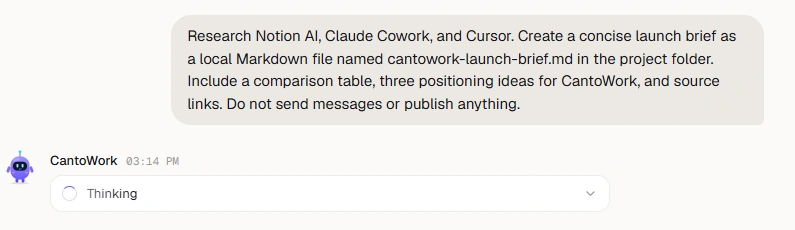
Command center
A real research request and its activity row in the current CantoWork chat

See the work happen

A focused chat, a visible activity trail and your tools close at hand. Follow what CantoWork is doing as it works.
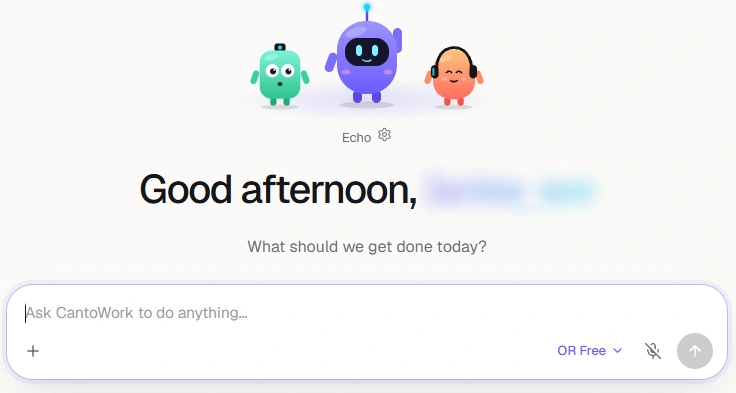
Echo and the microphone control in the current CantoWork composer

Just talk to it

Voice mode with fast replies and natural voices. The mic only listens when you open it.
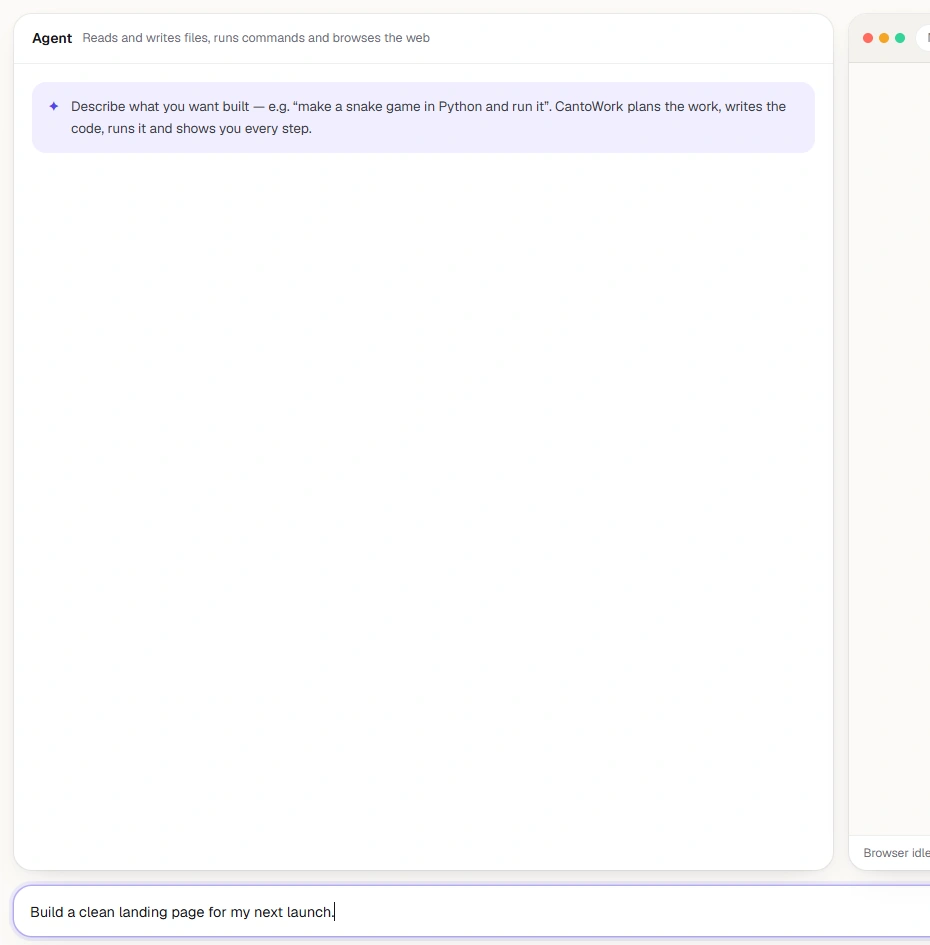
The current Code workspace with agent controls and a landing-page request

Operates your computer

Clicks, types and navigates apps for you — even ones without an API.

Memory that sticks

A personal knowledge graph of people, projects and habits — stored on your PC.
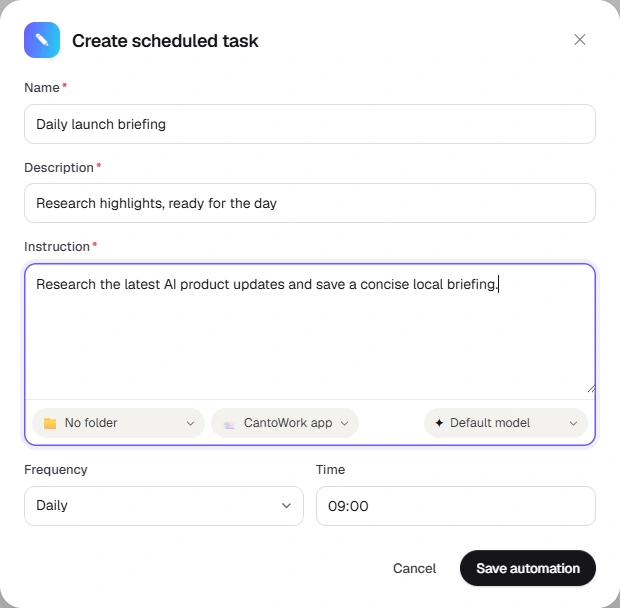
The current automation form with task instructions and a daily 09:00 schedule

Routines on autopilot

Describe a recurring job once. CantoWork schedules it and runs it for you.

Video edits

Edit a video in one sentence

Trim, cut, join, speed up, crop, caption, swap the audio or convert any video file. No editor to learn: just say what you want.
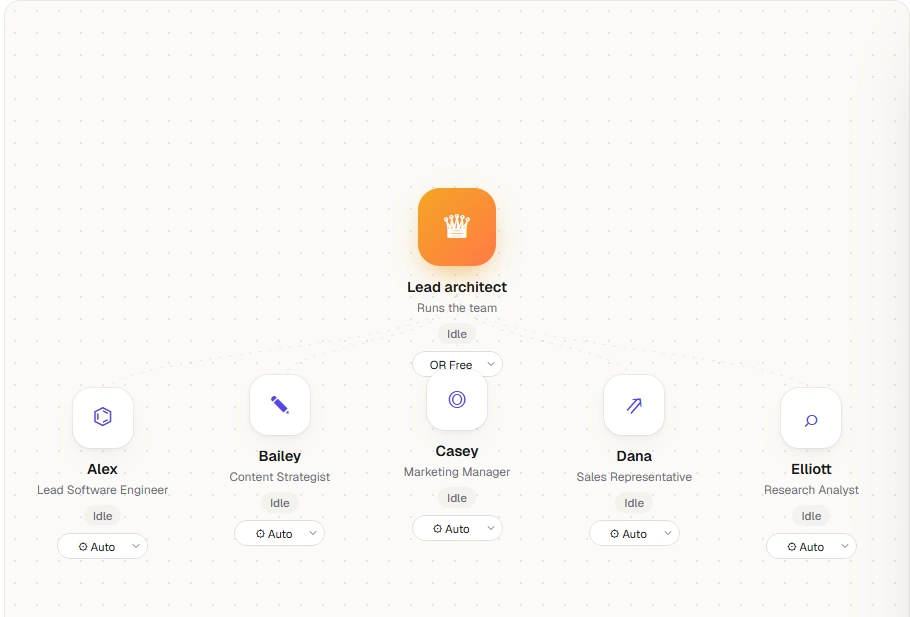
AI teammates
The Business Builder lead architect and five specialist agents

A team that never clocks out

Build your own agents in workspaces. They take jobs, work around the clock, message each other and check with you before anything important.

New · Canto Notebook

Study from your sources.

Add lecture notes, PDFs, slides, YouTube lectures or web pages. Canto Notebook answers only from them, with numbered citations that open the exact passage, then turns them into everything you need to revise.
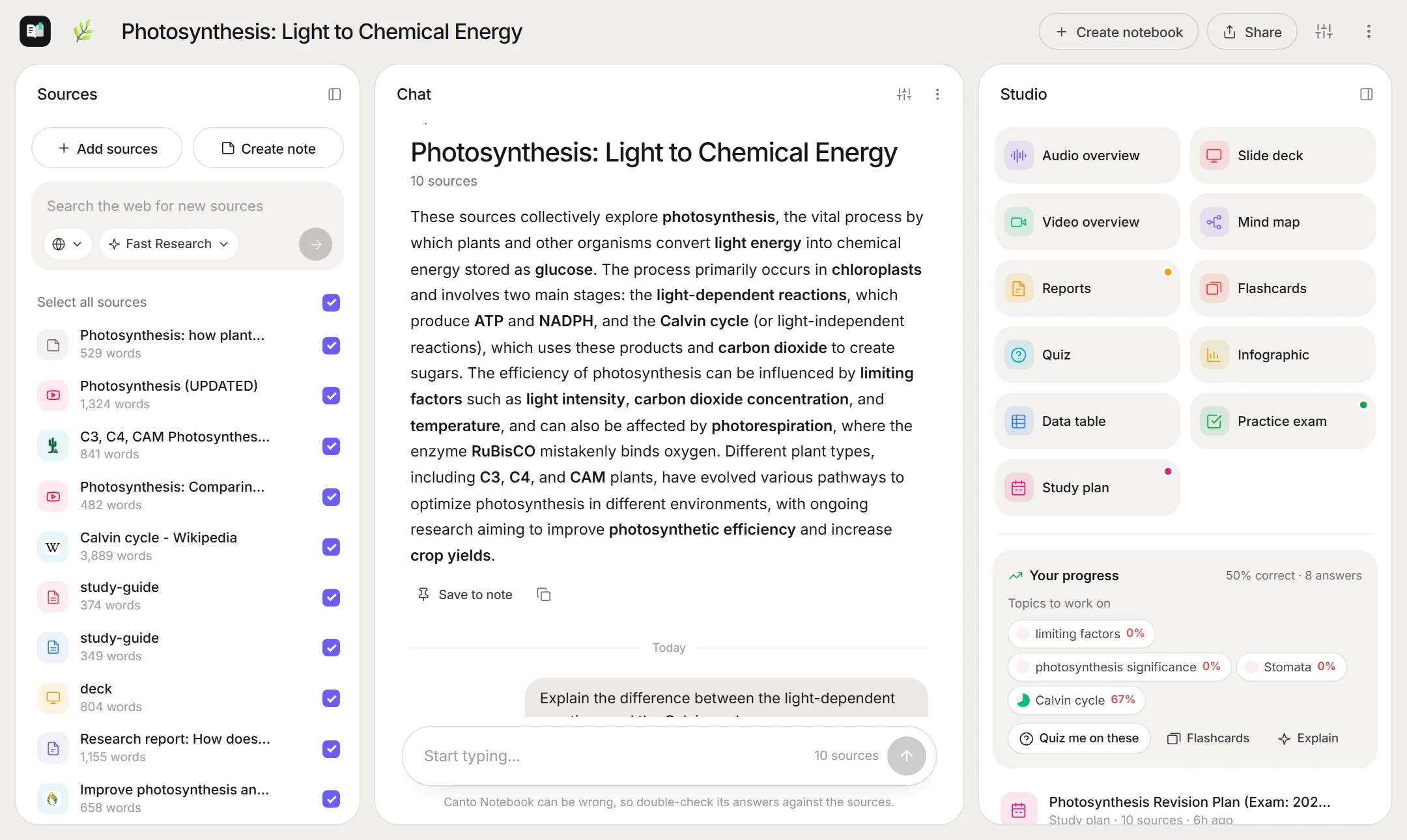
  • Audio overviews with two hosts — and you can call in with a question
  • Explainer videos, slide decks, mind maps, reports and infographics
  • Flashcards with spaced repetition and quizzes that explain every answer
  • Practice exams marked against a mark scheme, with your weak topics tracked
  • Study plans to your exam date, with reminders and a calendar file
  • Share a study pack with classmates that opens in any browser
Download for Windows
New in CantoWork 1.5

More of your work, handled

Canto Notebook

A study notebook for your own sources: cited answers, audio and video overviews, flashcards, quizzes, practice exams and study plans.

Canto Design

A design agent with an infinite canvas: product promo videos, social posts, ads and websites from a short brief.

Creator mode

Ask CantoWork for a tool it doesn't have and it builds one into itself — with your approval before anything runs.

Interactive answers

Replies can include live charts, calculators, comparisons, checklists and quizzes you can use right in the chat.

Agents that share your desktop

Several agents can operate apps at once, each in its own session, with a visible cursor so you can see who is doing what.

Asks before it acts

Sending messages, running commands and deleting files wait for your OK — or turn on Full access when you want it to just work.

Use cases

How CantoWork helps you

From solo founders to students, people hand CantoWork the work that eats their day.

Founders

Run your company from your desktop

agent workspaces · plugins · docs

Creators

Write the script, cut the video, find the footage

documents · video · stock media

Students

Revise from your own notes, then sit a practice exam

canto notebook · flashcards · exams

Developers

An autonomous coding agent with a real terminal

cantocode · github

Research

Research deep enough to make decisions on

web search · browser · reports

Operations

Put the repetitive stuff on a schedule

automations · plugins · slack

Sales

Find clients and draft follow-ups for you

prospector · sheets · gmail

Video

Trim, caption and convert clips by asking

video edits · captions

Get started in minutes

Trying CantoWork is quick, free and needs no admin rights.

01

Create your free account

Sign up with GitHub (Google, Microsoft and email are coming soon), then install the app. It signs you in automatically.

02

Connect a brain

Paste a key from the AI provider you prefer — several have free tiers.

  • GGoogle Gemini
  • OOpenRouter
  • NNVIDIA NIM
03

Meet your crew

Say hello, then hand over your first job. Start small — it learns as you go.

Built different

There's a lot of software on your computer. CantoWork can use it.

Instead of waiting for every app to ship an AI feature, CantoWork works the way you do — through the screen, keyboard and files.

25+built-in skills, from web research to video
500+apps CantoWork can work inside through plugins
Freeduring beta — bring the AI keys you already have
0of your chats, memory or files on our servers
Privacy by design

Your computer. Your data. Your call.

CantoWork is local-first. Your account only signs you in — your memory, chats, files and keys stay on your computer.

Lives on your PC

Memory, chats, settings and keys are stored in your Windows profile — not on our servers.

Your keys, your models

Choose the AI provider. Requests go straight from your computer to the model you picked.

Nothing hidden

Every step it takes shows up in the live activity feed, so you can follow along and step in.

Never for sale

No ads, no data brokers. We don't sell or rent anything about you to anyone.

Frequently asked questions

Something else on your mind? Ask us.

What platforms does CantoWork run on?
Windows 10 (version 1809 or later) and Windows 11, 64-bit. macOS and Linux versions are on the roadmap.
Is CantoWork finished?
No — CantoWork is in its earliest stages and in beta. It works, but expect bugs and features that change often. Before the full launch we plan to move to a credit system (no API keys needed), move to a permanent domain and announce plans and pricing.
How much does it cost?
CantoWork is free while it's in beta. You connect your own AI provider, and several — including Google Gemini and NVIDIA NIM — offer free tiers to get started. At the full launch CantoWork plans to move to credit-based plans; pricing will be announced before anything is charged.
Do I need API keys?
Yes, during the beta — after launch we plan to switch to credits, so you won't need your own keys. Setup asks for keys from the providers you'd like to use and links you to where to get them. You can skip that step and add keys later from the Providers page in the app.
How is this different from ChatGPT or Copilot?
Chatbots answer in a text box. CantoWork runs on your computer, so it can see your screen, open your apps and files, use your browser, work inside 500+ connected apps and remember your projects — then actually carry the work out.
Can I use CantoWork to study?
Yes — open Canto Notebook from the sidebar. Add your notes, PDFs, slides or YouTube lectures, ask questions with cited answers, and make audio overviews, flashcards, quizzes, practice exams and a study plan from them. It works in English, Sinhala, Tamil and 17 other languages.
How do plugins connect to my apps?
Open Plugins in the app and click Connect. Your browser opens the app's own sign-in page, you click Allow, and CantoWork can use it. Before anything that sends, spends or deletes, CantoWork shows an Approve card. Disconnect any time from the Plugins page.
Do I need an account?
Yes — a free CantoWork account. Sign up on this site with GitHub. Google, Microsoft and email sign-up are coming soon. The app then signs you in and stays signed in. Your account holds your name, email and a few optional welcome answers; nothing you do in CantoWork is stored with it.
Where does my data go?
Your memory, chats, files, settings and API keys stay on your PC. When CantoWork thinks, your request is sent to the AI provider you chose, under that provider's terms. See our privacy page.
Windows says “Windows protected your PC”. Is that normal?
Yes, while CantoWork is new. SmartScreen warns about apps it hasn't seen many downloads of yet. Click More info → Run anyway. You can verify the installer's checksum on the download page first.
How do I uninstall it?
Open Settings → Apps, find CantoWork and choose Uninstall. You'll be asked whether to keep or delete your CantoWork data.

Hours of work.
Minutes of your time.

Bring CantoWork onto your desktop and hand it the first job today.

Free during beta · Windows 10 & 11